
Fast intuitive high-level zoom – on any device.
The intuitive minimalist interface makes zooming images a breeze – whether it is on desktop, tablets or smartphones.
Adjustable and flexible presentation size.
The state-of-the-art technology provides responsive, interactive and great looking product presentations for desktop computers and mobile devices.
Matches your website look and CI in no time.
Use one of the three free minimal stock skins or create your own skin which matches your website look and Corporate Design simply via CSS.
Included for free in the FSI Server package.
The FSI Viewer is included in our dynamic imaging server solution which offers tons of features to unlock the full potential of your image presentation.
See how easy it is implemented:
Experience fast high-resolution image zoom wherever you are.
Being able to zoom to any detail on all sides of a product is almost like holding the product in your hands – with FSI Viewer, high-resolution zoom is brought to any device, such as desktop computers, Android™ and iOS™ cellphones and tablets.
The JavaScript-based viewer provides a minimalistic, highly-customizable user interface which is easily adaptable via CSS empowered by lightning-fast real-time image delivery from FSI Server.
What FSI Viewer offers:
How to easily publish high-resolution zoom on all devices.
FSI Viewer is included in FSI Server. After downloading and installing the software, publishing interactive and detailed zoom & pan of your images across all platforms is incredibly easy and takes just a few clicks.
1. Upload Your Images
Open the ‘Upload’ Tab and upload your pictures to the web interface via Drag & Drop or by clicking the Browse button to add files.
2. Choose FSI Viewer
)
Within the ‘Publish to Web’ Tab you can choose from a variety of viewers based on JavaScript. Choose “Zoom & Pan” from the presets on the right in order to publish a single image with Zoom & Pan functionality.
3. Paste Codesnip To Your Site

Copy the HTML code which is displayed within the publish dialogue and simply paste it into your website in order to implement the viewer.
FSI Viewer is part of our dynamic imaging server solution, FSI Server. By purchasing the server, you have access to our several responsive JavaScript viewers as well. You can test a full-feature version here.
FSI Viewer is based on HTML5 and JavaScript and compatible with desktop devices, desktops with touch displays and most smartphones and tablets.
You can upload .jpeg, .tif and .png files to the server and publish them as zoom image.
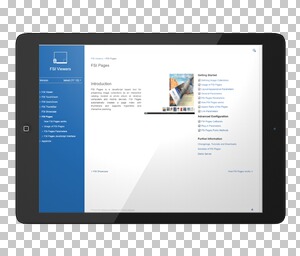
FSI Viewer comes with three basic and minimalist skins. All skins are based on CSS and can be adapted to fit your corporate design in no time! With the API, you can also connect external controls and tailor the viewer to your specific needs.
)